How to Unlock Stove Induction: A Step-by-Step Guide
Learn safe, step-by-step methods to unlock an induction stove when it locks. Understand common causes, prep, and maintenance tips from Stove Recipe Hub.


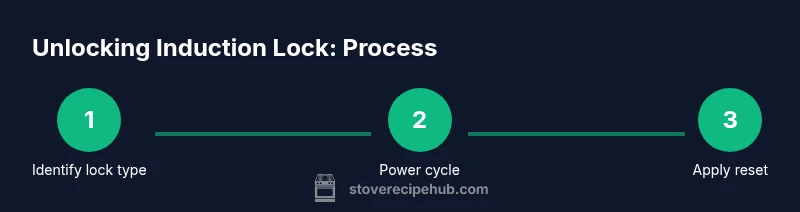
You can unlock an induction stove by first identifying the lock type (child lock, control lock, or auto-safety) and then applying the appropriate reset sequence. Start with safety checks, power cycling, and a model-specific unlock method. This quick answer covers common lockouts and what to do if standard steps don’t work.
What 'unlocking' means for induction stoves
Unlocking an induction stove means returning control of the cooktop to you after a lock feature has been activated. For many home cooks, the common question is how to unlock stove induction without triggering error codes or harming the electronics. According to Stove Recipe Hub, understanding why a lock is engaged is the first step toward a safe, effective resolution. Induction units include several lock types designed to prevent accidental activation, protect curious children, or keep temperatures stable during cleaning. The most frequent lock types are a child lock, a control-lock, and an automatic safety lock. Each type requires a different approach, and using the wrong sequence can leave the panel unresponsive. Unlocking is generally a matter of following a manufacturer-recommended reset or performing a controlled power cycle. If you approach it calmly and methodically, you’ll regain full control with minimal risk to your cookware or the stove itself.
Common lock types on induction cooktops
Most induction stoves lock to prevent accidental operation. The main lock types are: Child lock, which disables all controls; Control lock, a dedicated button or sequence that locks the panel; and Auto-safety lock, which engages during certain conditions like a spill or timer. Stove Recipe Hub analysis shows that most lockouts are accidental activations of the child lock or control-lock features, often triggered by brushing the panel or reaching for a pan while the screen is illuminated. Recognizing which lock is active is essential because each requires a distinct unlock method. Look for icons such as a lock symbol, a key, or a padlock image on the display. In some models, a long-press on the lock icon will unlock; in others, you must use a specific button combination. Always consult your model’s user manual if you’re unsure.
Safety first: prep and hazards
Before attempting to unlock, ensure the area is dry and free of liquids that could spill onto electrical components. Power down the unit, unplug if possible, and wait for any residual heat to dissipate. Do not poke or pry at the control panel with metal objects, and avoid touching glass surfaces while the system is powered. If a spill has triggered a lock, wipe and dry the surface first, as moisture can complicate the reset process. If you wear rings or watches, remove them to prevent accidental contact with sensitive controls. By establishing a clean, dry workspace, you minimize the risk of electric shock or further issues.
Step-By-Step Prep Before Unlock
Collect the model’s manual or access the manufacturer’s online support for unlock instructions specific to your unit. Clear the counter around the stove and place a timer within reach. Verify you have a stable power source and, if the cooktop is built into a larger range, ensure the entire unit is powered down. If your model supports a power cycle, you’ll benefit from disconnecting the appliance for a minute before reconnecting. This prep reduces the chance of lingering fault codes and ensures the unlock procedure proceeds smoothly.
The official unlock steps you'll likely perform
Unlock procedures vary by model, but common methods include holding the lock button for several seconds, pressing a sequence of keys, or performing a soft reset via the power cycle. Start with the simplest method: locate the lock icon on the display and hold it for 3–5 seconds. If this does not unlock the panel, try a different sequence listed in your manual, such as pressing and holding the Power and Lock buttons together for a few seconds or cycling through the control panel in a specific pattern. Do not force the panel; if you feel resistance or receive error codes, stop and consult the manual or customer support.
Testing the panel after unlock
Power the unit back on and observe the display as it boots. Confirm that all functions respond normally: touch a few burner controls, set a timer, and attempt to start a simple boil to ensure heat control is functioning. If the panel remains silent or produces error codes, record them and check the manual’s troubleshooting section. If you see a flashing lock icon or unresponsive keys, repeat the unlock steps exactly as described in your manual and test again.
After unlocking: test and reset
Once unlocked, wipe the surface and re-check the safety settings to ensure there are no retained lock indicators. It’s a good idea to re-enable any child locks only after you’re confident the panel responds correctly. If your stove has a firmware or software update option, consider updating to the latest version as recommended by the manufacturer. Regular calibration and gentle maintenance can help prevent future lockouts and improve long-term reliability.
Maintenance after unlocking: prevent future lockouts
Keep the control panel clean and dry; wipe down spills promptly to prevent moisture from triggering automatic locks. Store the model’s manual in a safe place so you can reference it during future lockouts. Periodically inspect the locking indicators and confirm they reflect the actual status of the panel. If you share the kitchen with children, discuss safe usage and establish a simple routine for engagement with the appliance. Routine maintenance and awareness reduce friction when you need to unlock in a hurry.
Troubleshooting and when to seek help
If unlock attempts fail after following the official steps, there may be a deeper fault such as a faulty lock switch or a software error. Contact the manufacturer’s customer support or a certified technician for diagnosis. If your appliance is under warranty, avoid DIY interventions that could void coverage. In many cases, a professional reset or component replacement is required to restore full function.
Tools & Materials
- Owner's manual for your induction cooktop(Always consult model-specific instructions first)
- Stable, clutter-free work surface(Clear counter space around the stove before starting)
- Soft cloth and mild cleaner(Use only as needed to wipe the control panel; avoid abrasive cleaners)
- Manufacturer support contact information(Keep handy in case of persistent lockouts)
Steps
Estimated time: 20-40 minutes
- 1
Power down and prep safely
Shut off the cooktop and unplug if possible. Wait 60 seconds to ensure residual power is drained. This reduces the risk of short circuits while you work on the lock.
Tip: Set a timer so you don’t rush and miss tiny indicators on the panel. - 2
Identify the lock type
Look for a lock icon, padlock symbol, or a dedicated Lock/Child Lock label on the display. Determine if it’s a child lock, control lock, or auto-safety lock to choose the correct reset path.
Tip: If you’re unsure, consult the manual’s lock section rather than guessing. - 3
Check for manual-specific reset
Some models require a simple long press on the lock icon, while others need a button combo. Do not attempt unlisted sequences; they may trigger error codes.
Tip: Record the exact model number to search the precise reset sequence quickly. - 4
Apply the unlock sequence
Using the identified method, perform the unlock sequence as described in the manual. If there are multiple acceptable sequences, start with the simplest one.
Tip: If the panel stays unresponsive, power cycle and retry once. - 5
Power cycle and re-test
Plug the unit back in and power it on. Observe boot indicators and test a basic control (e.g., temp up/down) to ensure touch controls respond.
Tip: Test with a dry pan on a low setting to confirm heat control is operational. - 6
Inspect for codes and try alternative path
If an error code appears, reference the manual’s troubleshooting section. Some models offer alternate reset methods if the first try fails.
Tip: If codes persist, avoid further attempts to prevent damage. - 7
Return to normal use and monitor
Use the stove normally and watch for any reoccurrence of the lock in the next few uses. If lockouts return, seek professional help.
Tip: Document any recurring lockouts for warranty or service records.
Common Questions
What causes an induction cooktop to lock?
Locks are typically activated by child lock, a control lock, or auto-safety features reacting to spills or unexpected inputs. Identifying the cause helps choose the right reset.
Induction locks are usually caused by child or control locks or safety features reacting to spills. Identifying the cause guides the reset.
Is it safe to override a lock feature?
Only use the manufacturer’s approved reset sequence. Forcing a unlock can damage electronics or void warranties. If unsure, consult the manual or customer support.
Only use the approved reset. Forcing it can damage the stove, so check the manual or contact support if unsure.
My cooktop still won’t unlock after following steps—what should I do?
Stop attempting to unlock repeatedly. Record any error codes, consult the manual troubleshooting section, and contact the manufacturer or a technician for diagnosis.
If it remains locked after steps, stop and note error codes, then contact support for diagnosis.
Can child lock be disabled permanently?
Most models allow temporary disablement. Permanent removal isn’t recommended since it reduces safety protections. Use the model’s settings to disable when needed.
You can disable it temporarily via settings; permanent removal isn’t advised for safety.
Does warranty cover lock-related issues?
Warranty coverage varies by model and issue. Check the terms and contact support if you suspect a fault covered under warranty.
Warranty coverage depends on the model; contact support to verify.
Watch Video
Top Takeaways
- Identify the lock type before attempting unlock
- Always start with the simplest reset first
- Power cycle to clear residual errors
- Consult the manual or support for model-specific steps