How to Get Stove Out of Lock Mode: A Simple Guide
Learn safe, practical steps to unlock a stove in lock mode across gas, electric, and induction ranges. This comprehensive guide covers causes, precautions, and a clear step-by-step process from Stove Recipe Hub.


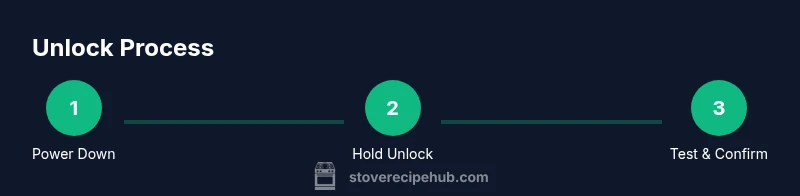
You’ll unlock your stove by safely powering down, confirming the lock is reset, and using the correct hold or keypad sequence for your model. Start with a power reset, then try the control-lock button or keypad, and re-test the burners. If still locked, consult the manual or contact support.
What lock mode on stoves means and why it exists
Lock mode, often labeled as Control Lock or Child Lock, is a safety feature designed to prevent accidental activation of burners, ovens, or controls. It helps households with small children or busy kitchens avoid unintended heat or spills. Understanding that lock mode is a deliberate safety mechanism can reduce frustration when it doesn’t unlock on the first try. According to Stove Recipe Hub, most lock-mode incidents occur due to a temporary software hold, a stuck button, or a power-reset requirement. This section explains how lock mode functions across common stove types (gas, electric coil, smooth-top electric, and induction) and what you can expect during normal operation. By recognizing the intent of lock mode, you’ll approach the fix calmly and safely, avoiding aggressive force that could damage components.
Common causes of lock mode activation and model differences
Lock mode may engage due to a user-initiated safety setting, a transient button press, or a protective response after a power fluctuation. Some models require you to press and hold a specific key (often labeled Lock, Control Lock, or Child Lock) for several seconds. Others use a keypad code that must be entered correctly to unlock. Induction and touch-screen models sometimes display a small padlock icon on the control panel when locked. Gas ranges may show a lock indicator near the control knobs, while electric ranges usually present a dedicated lock indicator in the display. While the exact sequence varies by brand and model, the underlying principle is the same: the system requires a deliberate action to disengage for safety.
Safety first: before you attempt any unlock sequence
Before touching any controls, ensure you’re in a safe environment. If you smell gas or hear a hissing coming from a gas line, evacuate and call emergency services. For all situations, unplug the stove from the wall outlet if accessible, or switch off the circuit breaker to cut power. Do not attempt to bypass lock mode by removing panels or wiring unless you’re trained and authorized. Wearing gloves and working on a cool surface helps prevent accidental burns or shorts. This approach aligns with best practices recommended by safety guidelines from reputable sources, and it minimizes risk while you diagnose the issue.
Quick checks and power reset basics (non-destructive)
A non-destructive reset is often enough to clear a temporary lock. Start by turning off any active burners, then power down the stove completely: unplug from the wall if possible, or switch off the dedicated circuit breaker. Wait for 60 seconds to allow capacitors and control boards to reset. Reconnect power and observe the panel; many models automatically exit lock mode after a proper reset. If the display remains locked, you’ll need to perform the model-specific unlock sequence described in your user manual.
Understanding model-specific unlock sequences (high level)
Different brands implement unlocks in distinct ways. Some require a simple long press on the Lock button, while others demand entering a code or performing a sequence like holding two keys simultaneously for several seconds. Induction and touch-screen models may require a screen-based confirmation. The key point is to identify the exact sequence for your model in the manual and avoid improvisation that could trigger safety interlocks or false faults. Remember, if the model is not clearly understood, contacting the manufacturer’s support line or a qualified technician is the safest path.
When to call a professional and what to expect
If unlock attempts fail after power cycles and verified correct sequences, or if you observe electrical burning smells, flickering displays, or any signs of gas, stop and seek professional help. A qualified technician can diagnose sticky relays, failed indicators, or wiring faults that a homeowner should not attempt to repair. The goal is a safe, reliable restoration of normal operation without compromising safety.
Tools & Materials
- Owner’s manual for your stove model(Essential for model-specific unlock sequences)
- Patch-cleaning cloth(Keep the control panel clean before testing)
- Screwdriver set (Phillips/flathead)(Only if you must access panel per manual)
- Voltage tester or multimeter(Use if you suspect wiring issues)
- Non-slip gloves(Protect hands from heat and sharp edges)
- Timing device (phone/tactory timer)(To time hold-sequences or waits)
- Flashlight(Illuminates control area during inspection)
- Safety glasses(Eye protection during any disassembly)
Steps
Estimated time: 25-40 minutes
- 1
Power down the stove safely
Turn off all active burners and the oven. If accessible, unplug the unit or switch off the corresponding circuit breaker. This step reduces the risk of electrical shock and clears transient power states that can keep the lock engaged.
Tip: If you must unplug, wait 60 seconds after disconnecting before reconnecting to ensure a clean reset. - 2
Confirm power is actually interrupted
Check the display or indicator lights to confirm the panel is fully unpowered. If the panel stays lit or shows an error after power is restored, you may need to hold the lock sequence longer or consult the manual.
Tip: Use a flashlight to inspect the display clearly; you don’t want to misread a dim indicator. - 3
Locate the lock control and prepare to unlock
Find the key sequence or button labeled 'Lock', 'Control Lock', or 'Child Lock'. If your model uses a keypad, be ready to input the required code. In many ranges, you must press and hold the lock button for 3–5 seconds.
Tip: If there is no obvious Lock label, consult the manual or manufacturer’s app for location guidance. - 4
Perform the standard unlock sequence
Apply the sequence described in your manual (e.g., press Lock for 4 seconds, then release and press Start). Do not release prematurely; hold for the full duration. If a code is required, enter it exactly as specified.
Tip: If you’re unsure of the code, check the installation or setup documentation; some models reuse a default factory code. - 5
Power cycle again if needed
After performing the unlock sequence, power down again for 60 seconds, then restore power to verify if the lock has cleared. This helps reset any lingering faults.
Tip: Note any error codes that appear after the reset; they can guide subsequent steps or professional help. - 6
Test all controls
Re-enable a burner or the oven and verify responsiveness. Try toggling Lock again to ensure the feature re-engages properly; if it sticks, record behavior for support.
Tip: Don’t exceed typical operating heat during the first test; keep the tests brief to avoid unintended use. - 7
Inspect for physical or sticky buttons
Gently press suspected buttons to assess stickiness or debris that may cause a continued lock. Clean with a soft cloth around the panel if you notice grease or residue.
Tip: Avoid harsh cleaners on display screens; use a damp cloth and mild cleaner if allowed by manual. - 8
Know when to escalate
If the lock persists after two clean power cycles and the correct sequence, contact the manufacturer support line or a licensed technician. Do not attempt risky disassembly beyond your training.
Tip: Keep model information, symptoms, and attempted steps handy to speed up diagnosis.
Common Questions
What does lock mode do on a stove and when is it activated?
Lock mode is a safety feature designed to prevent accidental activation of stove controls. It is activated to keep children and busy kitchens from triggering burners or ovens unintentionally. Always consult your model’s manual for the exact condition that triggers the lock.
Lock mode prevents accidental use by requiring a deliberate action to unlock. Check your manual for your model’s exact trigger.
How do I unlock a stove with a keypad lock?
Enter the code exactly as shown in the manual, then confirm with the designated button (often Start or Unlock). If no code is provided, hold the Lock button for several seconds or perform the sequence described by the manufacturer.
Enter the code and confirm, or hold the Lock button for a few seconds per your manual.
Can I bypass lock mode on a gas stove safely?
No. Bypassing lock mode without following the official sequence risks gas leaks and electrical faults. If standard methods fail, contact a qualified technician rather than attempting risky bypasses.
Do not bypass it yourself—call a professional if needed.
Is it safe to unplug and replug the stove to unlock?
Unplugging is safe when possible and should be done with the circuit breaker off first. If your model is hardwired, prefer a switch-off at the breaker and consult the manual before attempting a reset.
Yes, but only if you can safely disconnect power from the outlet or breaker.
What should I do if the lock still won’t unlock after resets?
Document the symptoms and steps taken, then contact the manufacturer’s support line or a licensed technician. Persistent lock issues can indicate a faulty control board or wiring problem.
If resets fail, contact support or a technician with your model details.
How long does a typical unlock sequence take?
Most sequences take a few seconds to execute plus a brief power cycle. If the manual specifies longer holds, follow that guidance exactly.
Usually just a few seconds plus a short reset, if required.
Watch Video
Top Takeaways
- Power down before testing locks
- Use the model-specific unlock sequence
- If unresolved, consult a professional
- Safety first: gas smells require immediate action