Why Do Stove Fans Stop Working? A Practical Troubleshooting Guide
Learn how to diagnose and fix stove fan failures. Practical, step-by-step troubleshooting for home cooks, safety tips, and when to call a pro. A Stove Recipe Hub guide.


The most common reasons a stove fan stops working are a dirty or seized rotor, a clogged exhaust vent, a failed capacitor, or a worn motor. Quick fix: disconnect power, inspect and clean the blade and housing, replace a blown fuse or capacitor if accessible, and test the switch. If the fan still won’t run, proceed with the diagnostic flow below.
Why stove fans stop working
If you're wondering why do stove fans stop working, you're not alone. A malfunctioning exhaust fan can create heat, smoke, and lingering odors, especially during high-heat cooking. According to Stove Recipe Hub, most stove-fan failures fall into a few practical categories: dirt or seized components, electrical issues, and aging parts. This section lays out the core reasons in plain terms and sets the stage for safe, step-by-step troubleshooting you can perform at home with basic tools. The goal is to move from panic to a plan, so you can get back to cooking with minimal downtime and maximum safety.
The fan's job is to move hot air and fumes away from the cooking surface. When it stops, it isn't just uncomfortable—it can affect kitchen ventilation, smoke alarms, and indoor air quality. By understanding the typical failure modes, you can target your checks efficiently and avoid costly, unnecessary replacements. Keep a calm mindset, follow safety rules, and document what you observe as you go.
Common causes at a glance
- Dirt and debris: A layer of grease or dust can clog the rotor or blade, increasing friction and preventing rotation.
- Electrical issues: A blown fuse, tripped breaker, or loose wiring can cut power to the motor or switch.
- Faulty capacitor or worn motor: The motor may struggle to start or run intermittently, especially in older units.
- Damaged switch or control board: A faulty switch can fail to signal the motor to start.
- Exhaust blockage: If the vent path is blocked or restricted, the fan may appear to stall or stall early, as backpressure builds.
Understanding which category is most likely helps you focus your troubleshooting and avoid unnecessary disassembly.
Safety first: power down and safe testing
Before touching any stove fan components, power down the circuit. If your kitchen uses a grounded outlet, unplug the range hood or turn off the circuit at the breaker. Do not test electrical components with wet hands or while standing on a damp surface. Use a flashlight to inspect accessible parts, and keep metal jewelry away from live wiring. If you smell burning, hear buzzing, or see melted insulation, stop immediately and seek professional help to prevent fire or shock hazards.
Quick checks before you dive deeper
Start with the simplest checks that don’t require tools:
- Verify power is off at the outlet or breaker and confirm the hood light is off.
- Inspect the exterior housing for visible damage or loose screws.
- Gently test the rotor by trying to rotate the blade by hand (with power off) to feel for resistance or grit. If it feels gritty or binds, cleaning or replacement may be needed.
- Check for obvious signs of a blown fuse or a tripped breaker in your home's panel. If the circuit continues to trip, there may be a larger electrical issue beyond the hood.
Inspecting the blade, rotor, and housing
A clean, free-rotating rotor is essential for reliable operation. Start by removing the blower cover to access the blade and rotor (consult your model’s manual for safe disassembly). Wipe away built-up grease with a degreaser or mild solvent and dry completely. Inspect the blade edge for chips or warping; a damaged blade can throw the balance off and stall the fan. Spin the rotor by hand to verify smooth movement. Any sticking or roughness points to dirt, grease buildup, or a worn bearing that needs lubrication or replacement.
Venting and exhaust path
Poor venting can fool you into thinking the motor is failing. Inspect the ductwork for kinks, crushed sections, or accumulated grease. A blockage reduces airflow and forces the fan to labor harder, potentially overheating the motor. Clear any obstructions, wipe down interior surfaces, and ensure the exhaust path is straight and unimpeded. If you notice excessive grease buildup in the duct, consider a professional cleaning to prevent future clogging and improve efficiency.
Electrical checks: capacitor, switch, wiring
If mechanical checks look solid, electrical concerns are likely. A faulty capacitor can prevent a motor from starting; signs include slow starting, buzzing, or the fan stalling after brief operation. Inspect the switch and wiring harness for loose connections, burnt insulation, or pinched conductors. If you’re comfortable with electronics, test continuity with a multimeter and verify proper voltage at the motor terminals. Replace a failing capacitor or damaged wiring only if you have the right parts and knowledge, otherwise call a pro.
Cleaning, lubrication, and preventive maintenance
Regular cleaning reduces friction and extends motor life. Use a soft brush or lint-free cloth to remove dust from the motor housing, blades, and vents. Avoid spraying liquids directly into the motor; instead, apply grease or lubricant specifically rated for appliances to moving parts as directed by your model's manual. Create a simple maintenance routine—seasonal checks, cleaning after heavy cooking, and reseating all fasteners—so your hood stays reliable and safe.
When to replace vs repair: cost, warranty, and timing
Not every failed stove fan is worth repairing. If the motor is noisy, the bearings are worn, or a new capacitor won’t restore function after multiple attempts, replacement may be the smarter choice. Consider the appliance's age, warranty status, and repair cost versus replacement. A professional assessment can help you decide whether to pursue a repair, swap components, or upgrade to a newer model with better efficiency and safety features.
Print-ready quick-start checklist
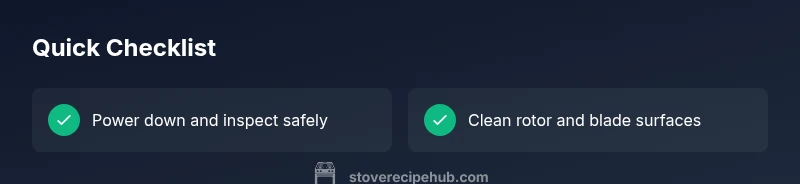
- Power off and unplug the hood.
- Inspect for obvious damage and loose connections.
- Clean the blade and housing; remove blockages in the duct.
- Test rotor rotation by hand; listen for smooth operation.
- Check electrical components (switch, capacitor, wiring).
- Reassemble, restore power, and perform a brief test run.
Steps
Estimated time: 60-90 minutes
- 1
Power down and access the unit
Switch off the circuit at the breaker, unplug the hood if possible, and remove the access panel to reach the rotor and blade. This step minimizes shock risk and prepares you for inspection.
Tip: Label screws and take a photo before disassembly to ease reassembly. - 2
Inspect and clean the blade
Wipe away grease and dust from the blade and housing. Check for nicks or warping on the blade edge that could throw the rotor off balance.
Tip: Use a non-abrasive cleaner and a soft brush to avoid damaging components. - 3
Test rotor movement by hand
With power still off, gently rotate the rotor. It should move smoothly without sticking. Any resistance suggests contamination or bearing wear.
Tip: If it feels gritty, stop and clean more thoroughly; forcing movement can cause damage. - 4
Check electrical connections
Inspect the wiring harness, switch, and any visible solder joints for looseness or burn marks. Tighten connections and replace damaged parts as needed.
Tip: Only test electrical components with the power off and the circuit isolated. - 5
Evaluate the capacitor or motor
If the fan still won’t start after cleaning, test or replace the capacitor if you have the tools and a compatible part. Severe grinding, buzzing, or no start typically indicates motor or capacitor failure.
Tip: Keep a parts list and verify specifications from the model manual. - 6
Reassemble and run a test
Carefully reassemble the unit, restore power, and run the fan at low and high speeds to confirm stable operation.
Tip: Listen for consistent rotation and absence of abnormal noises.
Diagnosis: Stove fan won't start or stops after brief operation
Possible Causes
- highPower issue (outlet dead, tripped breaker)
- mediumRotor or blade seized due to grease or debris
- mediumCapacitor failure or motor wear
- lowFaulty switch or wiring harness
Fixes
- easyReset breaker, verify outlet voltage with a multimeter, and restore power safely
- easyDismantle the cover, remove debris, lubricate moving parts if specified by the model, and test rotor movement
- hardReplace capacitor or motor assembly as needed; verify compatible parts
- mediumRepair or replace faulty switch or damaged wiring harness
Common Questions
Why is my stove fan not turning on after cleaning?
If cleaning didn’t restore operation, the issue is likely electrical or mechanical beyond surface grime. Recheck connections, test the capacitor, and assess motor condition. If uncertain, consult a professional to avoid further damage.
If cleaning didn’t fix it, the problem may be electrical or mechanical beyond the surface grime. Recheck connections and test the capacitor, and consider a professional assessment if unsure.
Can a dirty fan cause overheating in the motor?
Yes. Grease and dust buildup can increase friction and reduce airflow, causing the motor to overheat and wear faster. Regular cleaning helps prevent this issue and extends the life of the fan.
Yes—grease buildup can cause friction and overheating, so regular cleaning helps prevent it.
Is it safe to test an appliance fan while it’s plugged in?
No. Testing while plugged in is dangerous and can cause electric shock or fire. Always power down, unplug, and discharge capacitors if applicable before inspection.
No—always power down and unplug before inspection.
How do I know if a capacitor needs replacement?
Signs include the motor not starting, buzzing sounds, or slow startup. If you suspect a bad capacitor, compare with the model’s specs and replace only with a compatible part.
If the motor won’t start or you hear buzzing, the capacitor may be the issue.
Should I repair or replace a stove fan motor?
If the motor is worn, noisy, or repeatedly failing after parts replacement, replacement is often more cost-effective and safer, especially for older units with limited warranties.
Often, if the motor is worn or failing repeatedly, replacement is wiser.
What costs are involved in replacing a stove fan motor?
Costs vary by model and region and depend on parts and labor. A professional assessment can help you decide whether repair or replacement is more economical.
Costs vary; get a professional assessment to compare repair versus replacement.
Watch Video
Top Takeaways
- Power off before any inspection
- Clean and inspect rotor for smooth operation
- Check electrical components if the rotor is free
- Vent blockages can mimic motor failure
- Choose repair or replacement based on age, cost, and safety