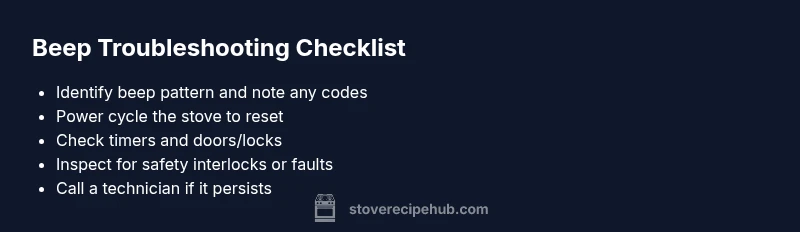
Why Is My Stove Beeping? Urgent Troubleshooting Guide
Discover why your stove is beeping and how to fix it quickly. This Stove Recipe Hub guide covers error codes, timers, safety alerts, and when to call a professional.


Beeping on a stove is usually a safety alert, timer, or fault code. The fastest fix is to read the display for any error code, clear any active timer, and reset the stove by unplugging briefly or turning off at the breaker. If the beeping continues after basic resets, discontinue use and follow the diagnostic steps below or call a technician.
What the beep signals on a stove and why it matters
When a stove beeps, it's not random noise. It usually signals a timer, a safety alert, or a fault code that the control system uses to get your attention. If you're wondering why is my stove beeping, start here: identify whether the display shows a code, countdown, or fault indicator. In many models, a beeping sequence will be accompanied by flashing lights or a specific pattern to help you diagnose the issue quickly. Understanding the context—whether the oven is in use, idle, or overheated—helps you decide the safest next step and reduces the risk of a dangerous misinterpretation.
Next, check for any audible patterns (continuous, intermittent, or a short chirp) and note if the beeping occurs with a particular function like timer countdown, self-clean, or gas ignition. This context is essential when you consult the manual or contact support, and it sets the stage for a safer, more targeted troubleshooting process.
Beep patterns and their meanings
Beep patterns are intentional signals from the stove’s control system. A single short beep can indicate a reminder or timer, while a rapid series of beeps often signals an error code that must be acknowledged. Continuous beeping is usually a fault condition or ongoing safety alert. If the beep is accompanied by flashing lights, a displayed code, or a blinking icon, record the exact code or symbol. This will speed up professional diagnostics and prevent misinterpretation. In some models, beeps correspond to safety interlocks or door/latch status, so consider whether a door or panel is still open or locked. Always refer to your model’s user manual for the precise code table, as manufacturers differ in their beeping language.
Distinguishing beep signals from other noises
A stove’s beep is distinct from burner clicking, flame noise, or fan hum. Beeps are deliberate alerts from the control board, not normal cooking sounds. If you hear a constant rattling, popping, or motor buzzing without a structured beep pattern, this may indicate a mechanical issue or ventilation problem rather than a software alert. In cases where the oven or the vent hood makes unusual sounds, check for loose screws, displaced panels, or a foreign object interfering with the fan. Distinguishing these noises helps you avoid overreacting to a harmless sound and directs attention to real electrical or safety faults.
Quick checks you can perform safely
Before you dive into deeper troubleshooting, perform these quick checks:
- Look at the display for any error codes or countdown timers and note them.
- If safe, power cycle the stove by unplugging for 60 seconds or flipping the circuit breaker off and on.
- Check for an active timer or reminder that you may have set accidentally.
- Ensure all doors, latches, and locks are in the correct position and not triggering safety interlocks.
- If there is a gas smell or a suspected gas leak, evacuate the area and call emergency services immediately.
These steps cover the majority of everyday beep scenarios and help you decide whether it’s a minor reset or a red-flag safety issue.
Diagnostic flow overview
To interpret a stove beep systematically, start with the simplest causes and move toward complex faults. Look for a visible error code on the display, check if a timer is counting down, confirm that all safety interlocks are engaged properly, and verify that no panels are loose or damaged. If nothing obvious is found, you’ll need to follow a formal diagnostic sequence that isolates the beeping signal to a single subsystem. This approach minimizes risk and ensures you don’t miss a critical safety alert.
Step-by-step fixes for the most common beeps
The following steps walk you through the most common beeping causes and fixes. They are designed to be performed in order, starting from the simplest actions and progressing to more involved checks. If a step requires removing panels or accessing wiring, proceed with caution and disconnect power before doing so. Always consult a professional if you are unsure about any procedure or if safety is in doubt.
Prevention tips and safe maintenance
Regular maintenance reduces the chance of unexpected beeps. Clean the control panel and vent areas, inspect door seals for wear, and keep a log of any codes you encounter. Avoid using abrasive cleaners on sensitive displays, and keep liquids away from electrical components. Finally, schedule periodic professional inspections to catch sensor or control-board issues early and maintain safe operation.
Final quick reference
- Beep patterns usually reflect a timer or a fault code. The exact meaning depends on your model.
- A power reset solves many transient issues but not all faults.
- When in doubt, prioritize safety: if you smell gas or suspect a leak, evacuate and call emergency services.
- Document the error codes and patterns to aid a technician.
- Regular maintenance helps prevent future beeps and keeps your stove running safely.
Steps
Estimated time: 30-60 minutes
- 1
Identify beep pattern and read the display
Observe whether the beep is continuous, intermittent, or a single chirp. Note any error codes, countdown timers, or symbols shown on the display. This information guides the next steps and reduces guesswork.
Tip: Keep a notepad handy to record codes and patterns for the technician. - 2
Power cycle the unit
Safely unplug the stove for 60 seconds, or switch off the circuit breaker for a minute. Then restore power and check if the beep persists. A reset resolves many transient faults.
Tip: If you use the breaker, label the circuit for future reference. - 3
Check timers and reminders
Navigate the control panel to confirm there are no active timers or reminders. Clear or reset them and observe whether the beep returns after a test cook cycle.
Tip: Disable any auto-off or kitchen timer apps linked to the stove if applicable. - 4
Inspect safety interlocks and door latches
Ensure oven door is fully closed or latch is engaged. Misaligned doors or a faulty latch can trigger a safety beep. Do not force any mechanism.
Tip: If the latch feels loose, stop and seek professional help rather than attempting a DIY repair. - 5
Examine control panel and wiring access
With power off, inspect visible wiring for loose connections or obvious damage. Do not touch exposed conductors. Only qualified personnel should handle internal wiring.
Tip: If you spot burnt smells or char marks, stop and call a technician immediately. - 6
Call a professional if needed
If the beep continues after the above steps, a sensor, relay, or control-board fault is likely. A technician can diagnose and replace components safely.
Tip: Provide the technician with any codes and the sequence of events leading to the beep.
Diagnosis: Stove beeping unexpectedly
Possible Causes
- highActive timer or reminder
- highError code or fault detected
- mediumSafety interlock or door latch issue
- lowControl board or sensor fault
Fixes
- easyCheck the display for error codes or countdowns and note them
- easyPower cycle the stove by unplugging for 60 seconds or switching the breaker off and on
- easyCancel any active timers or reminders from the control panel
- easyInspect door latches and safety interlocks for proper position
- mediumIf the beep persists after these steps, contact a qualified technician
Common Questions
What does a continuous beep mean on a stove?
A continuous beep typically signals a fault or safety alert that requires attention. Check the display for error codes, reset the unit, and determine whether a door latch or timer is involved. If the beep persists, consult the manual or contact support.
A continuous beep usually means there is a fault or safety alert. Check for an error code, reset the stove, and if it continues, contact support.
Should I unplug and reset the stove if it beeps?
Power cycling can clear many transient faults. Unplug for 60 seconds or switch the breaker off, then restore power and test. If the beep returns, note any codes and proceed with the diagnostic steps.
Yes, try a power reset by unplugging for a minute or flipping the breaker, then test again.
Can a timer cause beeping even when the oven is off?
Yes. A low-temperature timer or reminder can beep even with no active cooking. Check for any set timers in the control panel and clear them if found.
Timers can beep even when not in use; check and clear them.
Is it safe to keep using a stove that beeps?
If the beep is an alert or error, treat it as a warning and stop until you resolve the issue. Continuing to use a faulty stove can be dangerous.
If it’s beeping as an error, stop using it until you fix the issue.
What about a gas smell with beeping?
A gas smell requires immediate action: evacuate, avoid switches, and call emergency services. Do not attempt DIY repairs if you suspect a gas leak.
If you smell gas, leave the area and call for help right away.
How can I prevent future beeps?
Regular cleaning, sensor checks, and professional maintenance reduce beeps. Keep error logs, sanitize the panels, and address issues promptly to avoid surprises.
Regular upkeep and logs help prevent future beeps.
Watch Video
Top Takeaways
- Read error codes before acting
- Power cycle to reset transient faults
- Cancel active timers and verify locks
- Call a professional if beeping continues
- Regular maintenance reduces future beeps